The overlay
The instrument, floating over your DAW
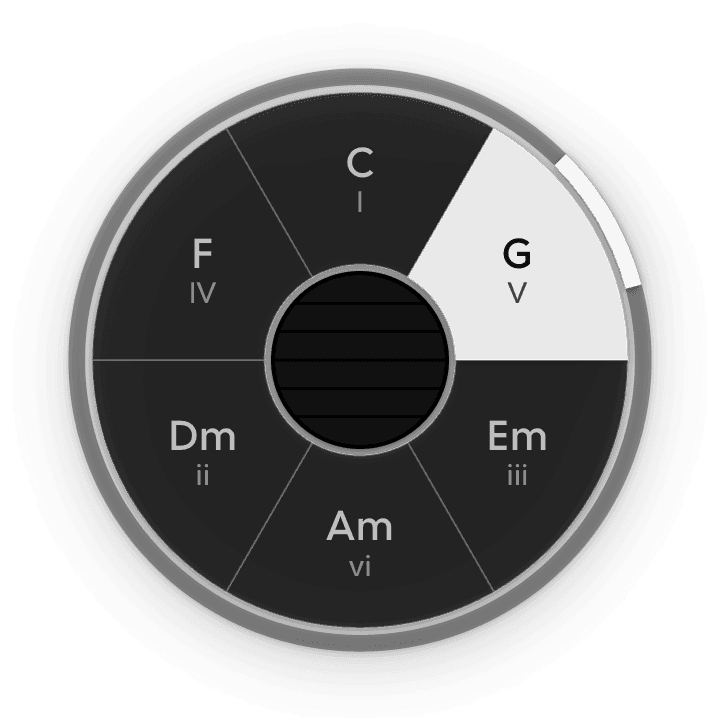
The Instrument Overlay is a small always-on-top window showing just the instrument's face - the chord wheel in Chords, the dial in Drums. It floats above everything else, so you can watch what you're playing while your DAW has the screen.
Turn it on from Window → Instrument Overlay, or from the same item in the menu-bar tray. Both are checkboxes. It's off the first time you run MIDIpad, and MIDIpad remembers your choice after that.
The overlay is licensed: floating over your DAW is studio territory. The menu and tray items stay visible in Demo Mode rather than hiding, and opening it there shows you what a licence covers instead of the window. Your choice is remembered either way, so the overlay comes back exactly as you left it.
Using it
- Move it by dragging its face.
- Resize it from any edge.
- Dismiss it from Window, from the tray, or with ⌘W while it has focus.
The overlay follows the instrument on stage in the main window. Switch to Drums and the overlay switches with it.
At rest the overlay is just the instrument on a transparent background. Bring the cursor near it and a border and a faint backing appear so you can see what you're grabbing; move away and they fade again.
It's drawn in plain black and white whichever theme you're using, so it stays readable over whatever is behind it.
Closing the main window
The overlay is independent of the main window. Closing the main window on macOS leaves MIDIpad running - the controller still plays, the ports stay open, and the overlay stays where you put it. Bring the window back from the tray or the Dock.