Player
With thanks and apologies to Nils Frahm, who inadvertently inspired this madness.
Music is simply applied mathematics, and mathematics can be beautiful, or so I'm told.
I don’t understand mathematics at all, that’s why I program computers to do it for me.
But that’s beside the point; chords can be broken up into little pieces and played in sequence, and these sequences are called arpeggios. And then some genius in the seventies thought that they should only go up and down, or apply some other fancy mathematics to make the order random, which always comes out sounding like they shouldn’t have bothered. And then other geniuses thought this was such a good idea that everybody has built an arpeggiator into every keyboard since and now look where we are.
So when I sat down to figure out how MIDIpad could have an arpeggiator, I figured “why stop with one? Why not make it two arpeggiators?”
And I didn’t stop there. “Why not make it two arpeggiators having a fight?”
That didn’t work. It sounded like two arpeggiators having a fight.
But it led to what Player is now: two arpeggiators working together on the same chord, cooperating like a pianist's hands, rising and falling with the energy of the chord behind them rather than plodding along on their own stupid way.
Turn on Player along the bottom of the stage to play it in place of the strings, or press Share to turn it on and off as you play.
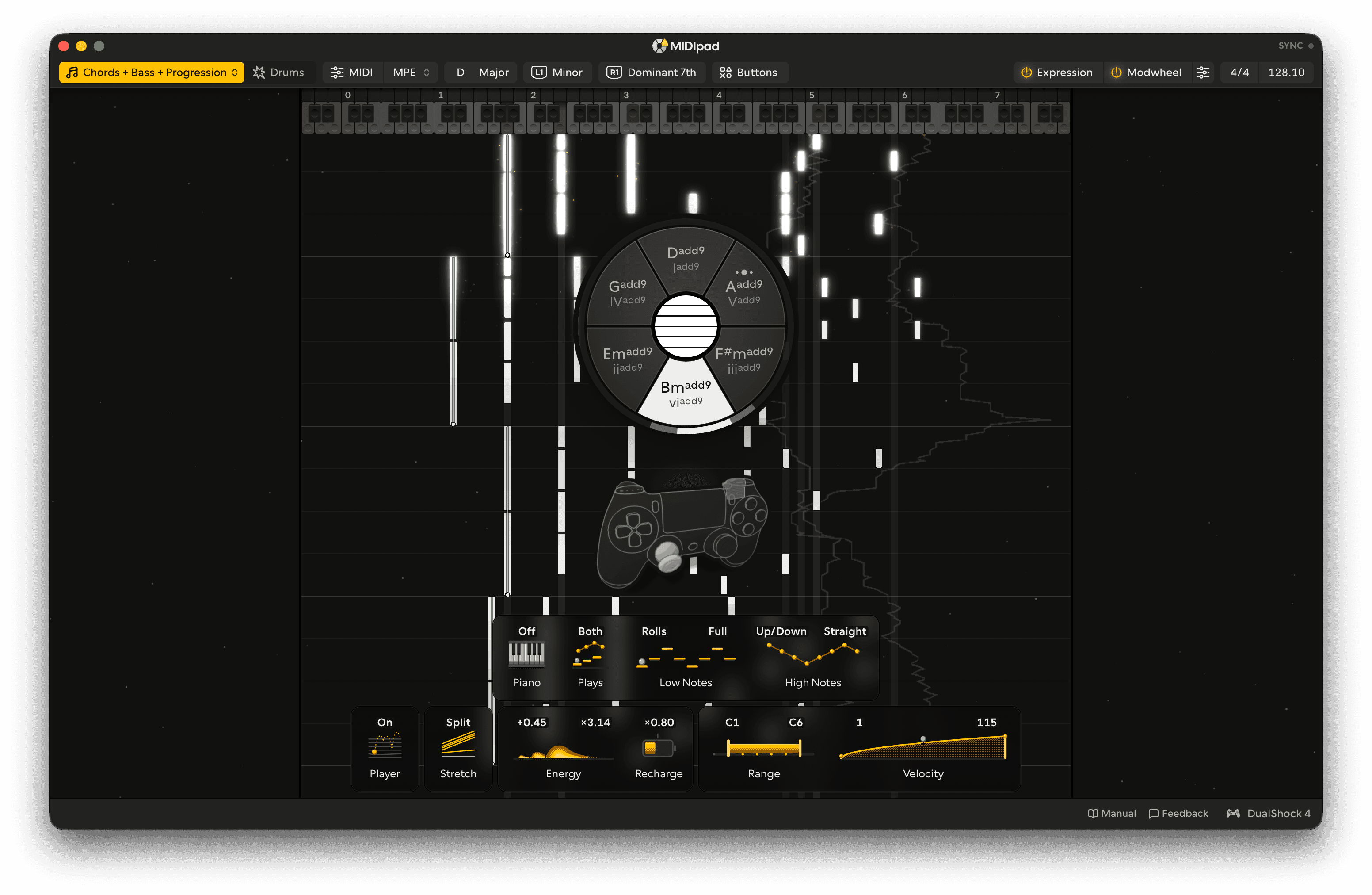
Two hands
The left hand plays the low notes, from the bass up, and the right hand walks through the chord above them.
When you change chord, the right hand moves to the nearest note of the new one. Pull R2 as you strum to stretch the chord, and the right hand spreads out higher up the keyboard.
Settings
Plays
Both plays both hands, and Low Notes and High Notes play one hand alone.
Low Rhythm
The low notes' rhythm, from Rolls up through the chord and a long Held bass to the off-beat Dotted and Skipping and a driving Pumping. Each one follows the time signature and fills in as you strum harder.
Low Voicing
The notes the left hand plays over the bass: the fifth and the third an octave up (Full), the fifth and the octave (Open), Octaves, or the Root alone.
High Shape
How the high notes move through the chord: Up/Down, Up, Down, Thumb Down, which comes back to the lowest note between each, or Threes, which plays down through the top three notes over and over.
High Rhythm
The high notes' rhythm: Straight plays every 8th, Waiting comes in after the 1, Breathing rests at the end of each bar, and Triplets plays both hands three to a beat. With both hands playing, the low notes fill the high notes' rests, and the high notes play a little louder where the low notes come back in.
Following your strumming
Strum softly and the left hand plays only a little under a steady right hand. Strum harder and both hands play more: the left hand fills more of the bar, and the right hand lifts more of its notes an octave and, at slower tempos, speeds up into sixteenths. Strum hardest at a faster tempo and the right hand doubles its notes in octaves. As the strings fade, the Player plays less.
Strum further right on the touchpad and the Player plays more, as if you'd strummed harder; strum further left and it plays less. The velocity stays the same.
In 6/8 and other time signatures counted in threes, both hands move in groups of three.
Every note's velocity comes from your strings. Pulling the left trigger softens the Player the same way it softens the strings, for a swell or a sudden drop.
Piano
Turn on Piano with a piano or keys sound to make the Player sound more like a pianist. The sustain pedal lets the notes ring into each other until you change chord, and when you strum firmly into a new chord, the left hand plays a fuller chord. It's off by default.
Chord changes
The Player changes chord on the beat, so you can strum a little early or a little late and it stays in time. When the bass moves, the left hand plays a passing note into the new chord.
To set up a change ahead of time, pick the new chord and tap the touchpad. The Player changes on the next strong beat, and the bass walks to the new chord through its scale.
Endings
Stop strumming and the Player keeps playing as the chord fades, getting quieter and simpler, and finishes at the end of a bar. Pull the left trigger all the way in to stop it dead.
MIDI
The Player plays on MIDIpad Chords, so it goes to the same track as the strings. Under MPE each note has a channel of its own, so every note has its own pressure or slide. See MIDI and MPE.
Turn the Player on and strum a few chords, softly and then hard, to hear the hands fill in.