Bass and Progression
Two more players in your band, following the chords you're already playing.
The Bass and the Progression play along with your chords. While you play Chords, the Bass plays a bass line underneath, in time with the tempo and following your chord changes, and the Progression sends the chords themselves as block chords. You don't play them directly: you just play your chords, and they come along.
Each has its own port, MIDIpad Bass and MIDIpad Progression, so you can put each one on its own track with its own sound, and record them with Chords in one take.
Both are off to start with. Turn each one on with its power button at the bottom right of the stage, or in Instrument → Bass and Instrument → Progression. Click the button beside the power button for its settings.
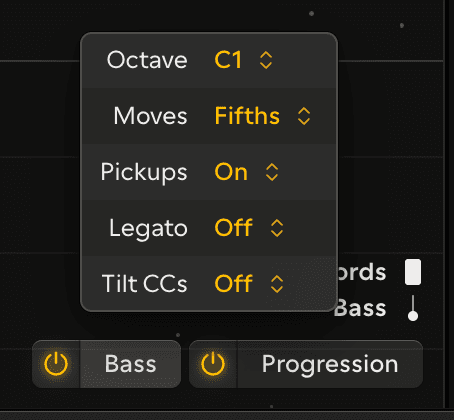
Adding a bass line covers the Bass.
Following the chord
The Bass and the Progression follow your chords. Strum, press a chord button or push the right stick and they move to the new chord. Tap out a melody over the top with melodic taps and they stay where they are, so you can play a tune over the band without dragging it around with you.
Landing on the beat
Strum a fraction late and the change still lands on the beat you meant. Strum early and they wait for the next beat. Either way the band changes together, in time. The stage prints each chord's name as it lands, as letter names or numerals (View → Chord Symbols).
They play to MIDIpad's tempo and time signature, or to your DAW's when MIDIpad follows its clock, and stop when your DAW stops. See Tempo and time signature.
Ringing with the strings
The Bass plays for as long as your chord rings, so everything you do to the strings shapes it too. Strum harder and it plays harder. Let the chord ring out and the Bass stops with the strings. Pull the left trigger to bring it down with the strings, or all the way in to stop it.
The Chords settings carry through, so Decay sets how long it keeps going after you strike, and Dynamics sets how soft it can get.
What they send
The Bass and the Progression use the same Velocity, Pressure and Slide as Chords, so they're set once for every part. See Changing the character. With its Tilt CCs setting on, each one also sends the Chords tilt CCs on its own port.
Recording the progression
MIDIpad Progression sends the chords you play as block chords, each starting on the beat and held until you change chord. Put it on a track of its own to record the progression by itself, ready to give it a sound of its own or to edit later.
Each chord is the one the stage names, with the bass note underneath a slash chord. Stretch and the melody you pick over the top stay on Chords. It plays at the strength you strike, and stops on the beat after the strings stop ringing. With an MPE synth, each note of the chord follows the energy and timbre of the string playing it. It sends whether or not the Bass is on. Three dots above a wedge mark the current chord on every wheel. The larger dots show which wheel it's on, on the side of that wheel's shoulder button, or in the middle for Home.
Turn on Voice leading in the Progression settings to play each chord in the inversion closest to the last one. It's off by default.
On the stage
On the stage, Bass notes are dots with a short line behind them.
Turn on the Bass and play a few chords to hear how it follows you.