First sounds
Finally, the fun bit!
MIDIpad makes no sound of its own: it sends MIDI, and your DAW (or other MIDI-capable application) plays it. Point the MIDIpad Chords port at something (set up your DAW has the steps), connect a controller, and you're ready to rock 'n roll.
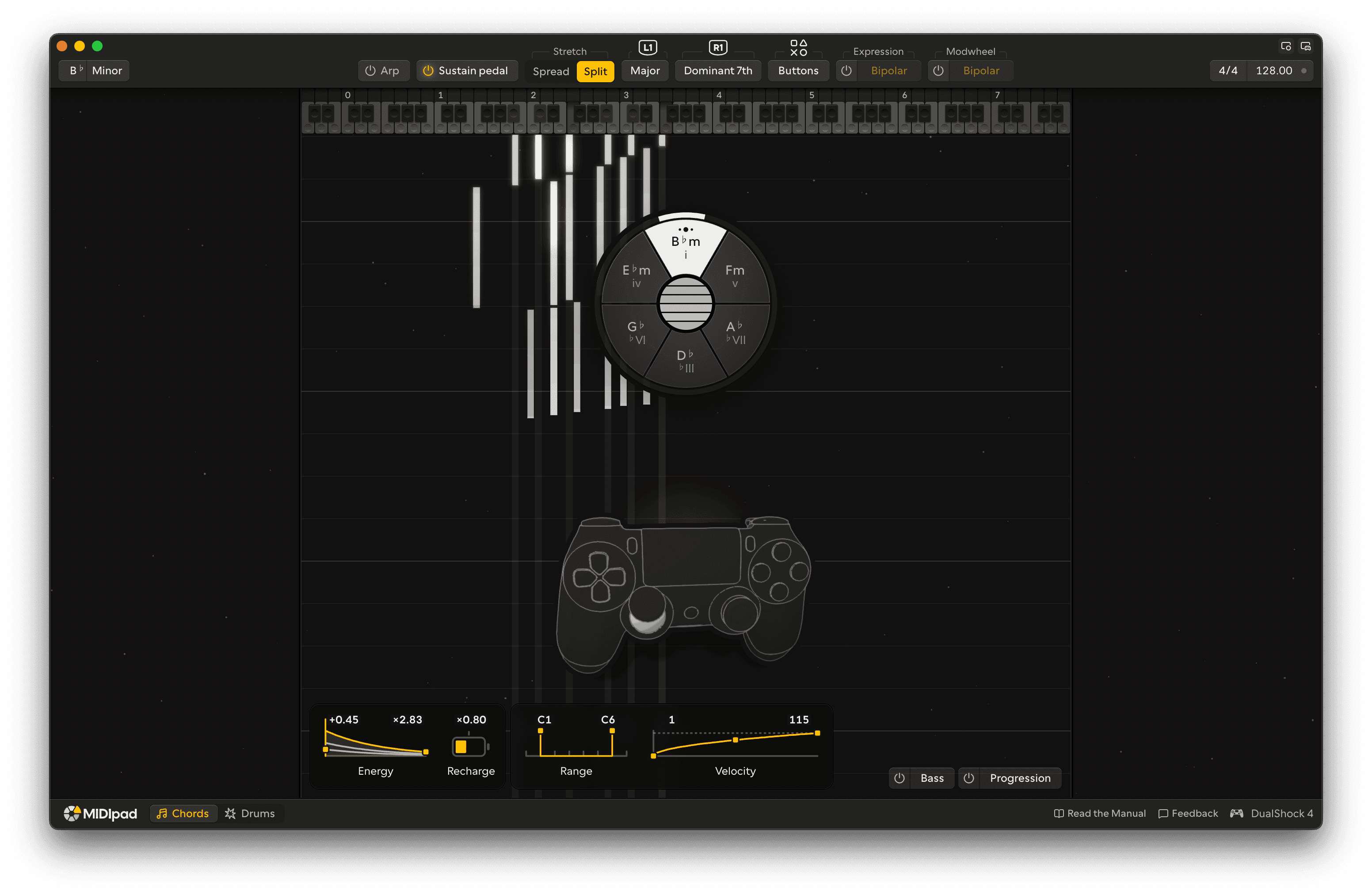
Arm a chord, then strum it
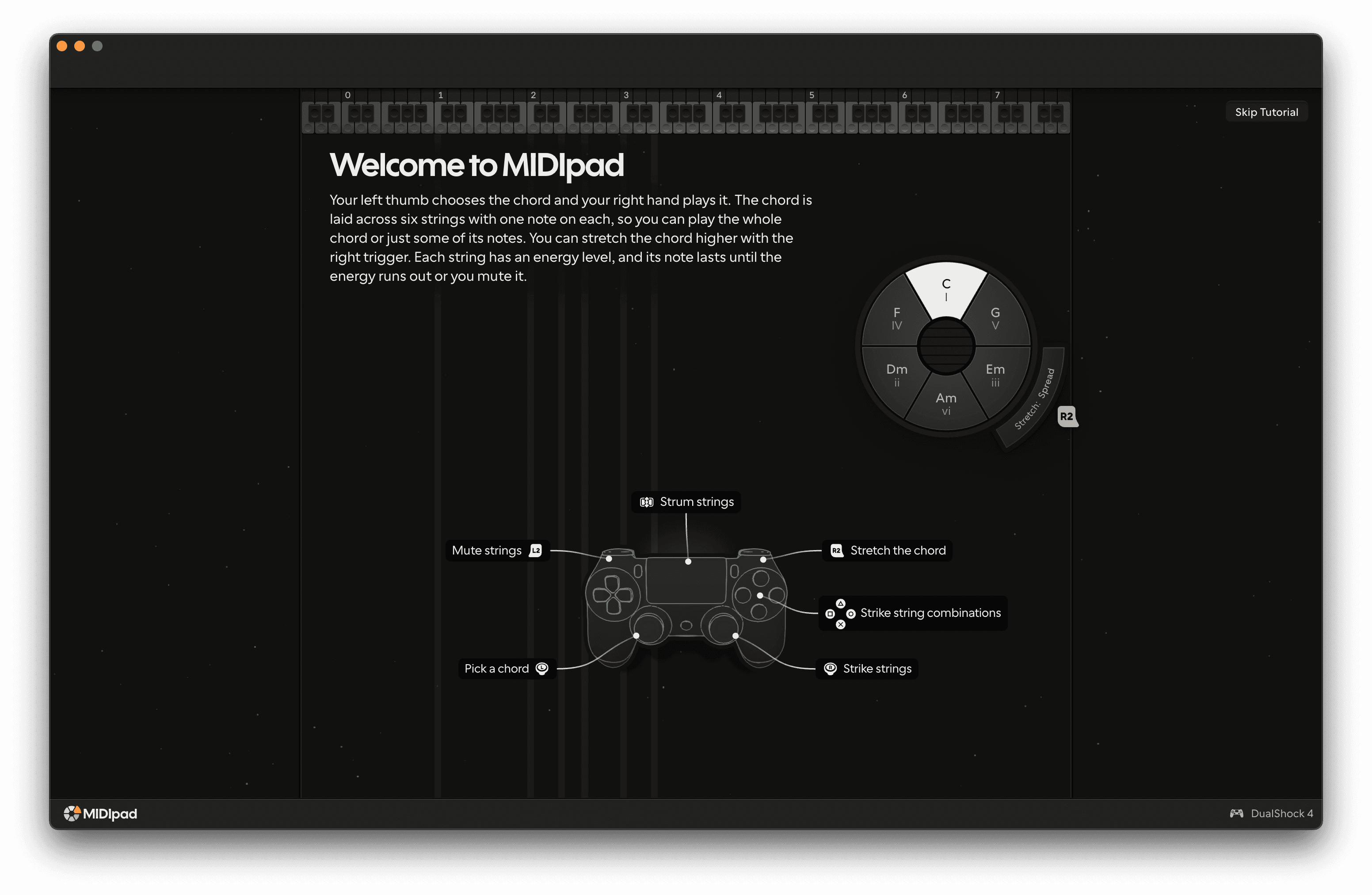
Push the left stick Left stick in any direction. That arms a chord, and it plays when you strum.
The chord wheel is based on the circle of fifths. Picking a chord explains how it's laid out.
Now strum it. On a Sony pad, swipe across the touchpad Touchpad with your right thumb, away from you: the chord plays string by string under your finger. Swipe slowly for a low velocity, flick for a high one. On any pad, push the right stick Right stick out to its edge and it strikes a group of strings, a different group in each direction - that's the strum stick.
Let go of everything (generally good advice, no matter what you're doing, unless it's the steering wheel of a car, or a baby). The notes keep sounding. Each string fades out over time, then its note ends. Low strings take longer to fade than high ones.
Getting the feel of it
- Point somewhere else and strum again. Every chord on the wheel is in your key, so wrong notes are hard to find. There are weird notes, but that's good.
- Hold R1, strum, then release it and strum again. You just played a dominant chord and resolved it back to the home chord. Hardcore music theory, in the style of a fighting game! L1 works the same way, with chords borrowed from the parallel key.
- Pull L2 while notes ring. The trigger lowers the strings' energy and pressure. Ease off to bring them back up. Take your finger off the touchpad, pull it all the way in, and every string sends its Note Off.
Try the drums
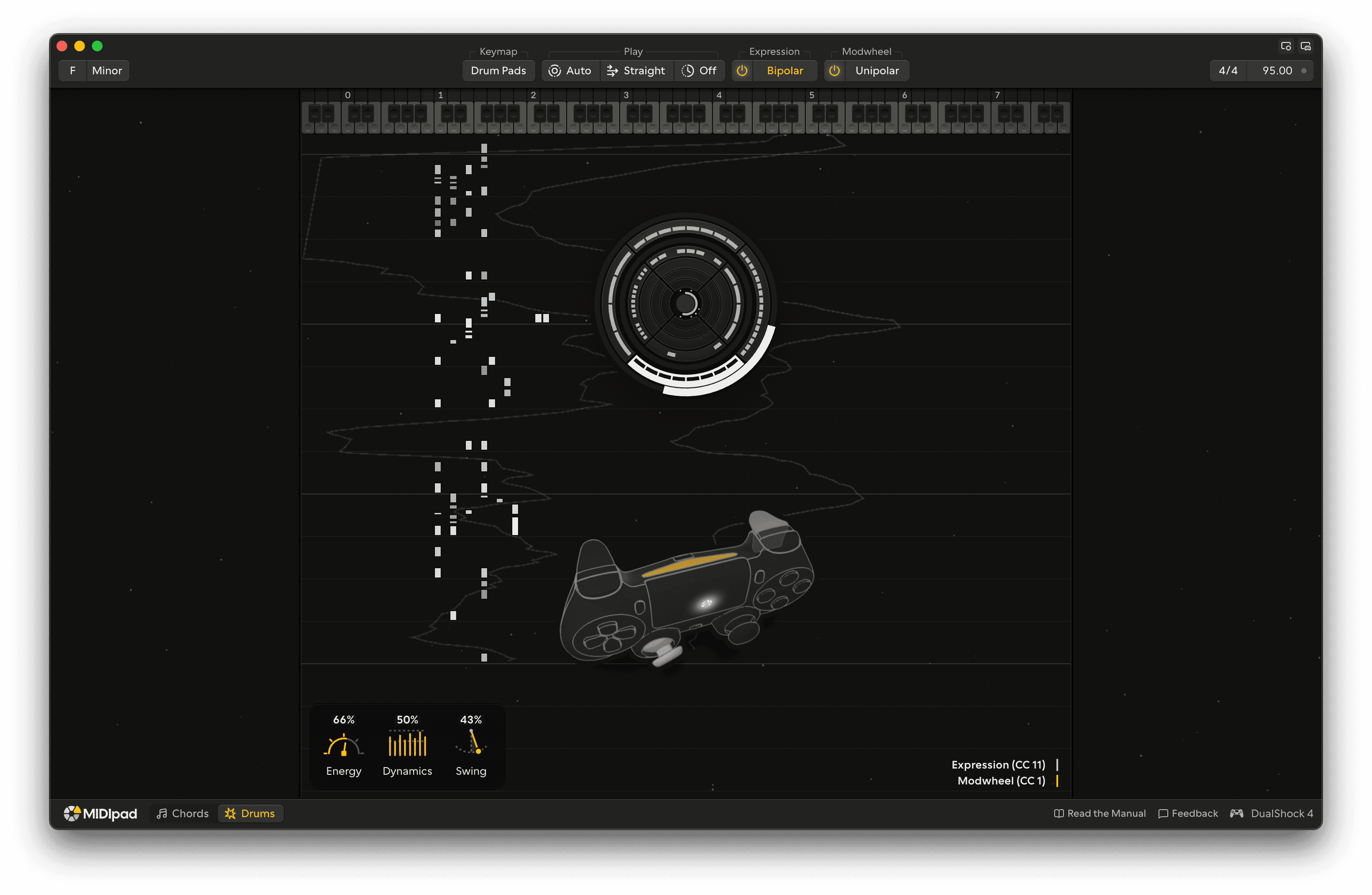
Click Drums in the footer, or press Options on the controller to switch to it.
Point the left stick Left stick and a hi-hat starts: left for quarters, up for eighths, right for sixteenths, down for the offbeats. Point the right stick Right stick for the kick, and push it all the way to the edge for the snare on the backbeat. It's covered properly in the Drums chapter.
Where next
- Controls reference: the Chords chapter opens with a map of every control.
- MIDI reference: MIDI and MPE.