Multiplayer
Once upon a time, "multiplayer" meant "sitting down with your mates and playing a game together" rather than "collaborative business software where your colleagues can spy on you", so this is my attempt to fight back.
Connect two controllers and turn on Instrument → Multiplayer. Player 1 plays Chords and Player 2 plays Drums, each on its own port, at the same time. To swap instruments, swap the controllers - dead simple, really.
Experimental
Multiplayer is somewhat experimental right now. I'm committed to keeping it in the app, and to expanding on its functionality over time, but it's a difficult thing for me to test across real-world usage, so this is somewhere I really want to encourage people to get in touch via the feedback form to report any bugs or weirdnesses that show up, or to suggest things to make it more useful to you.
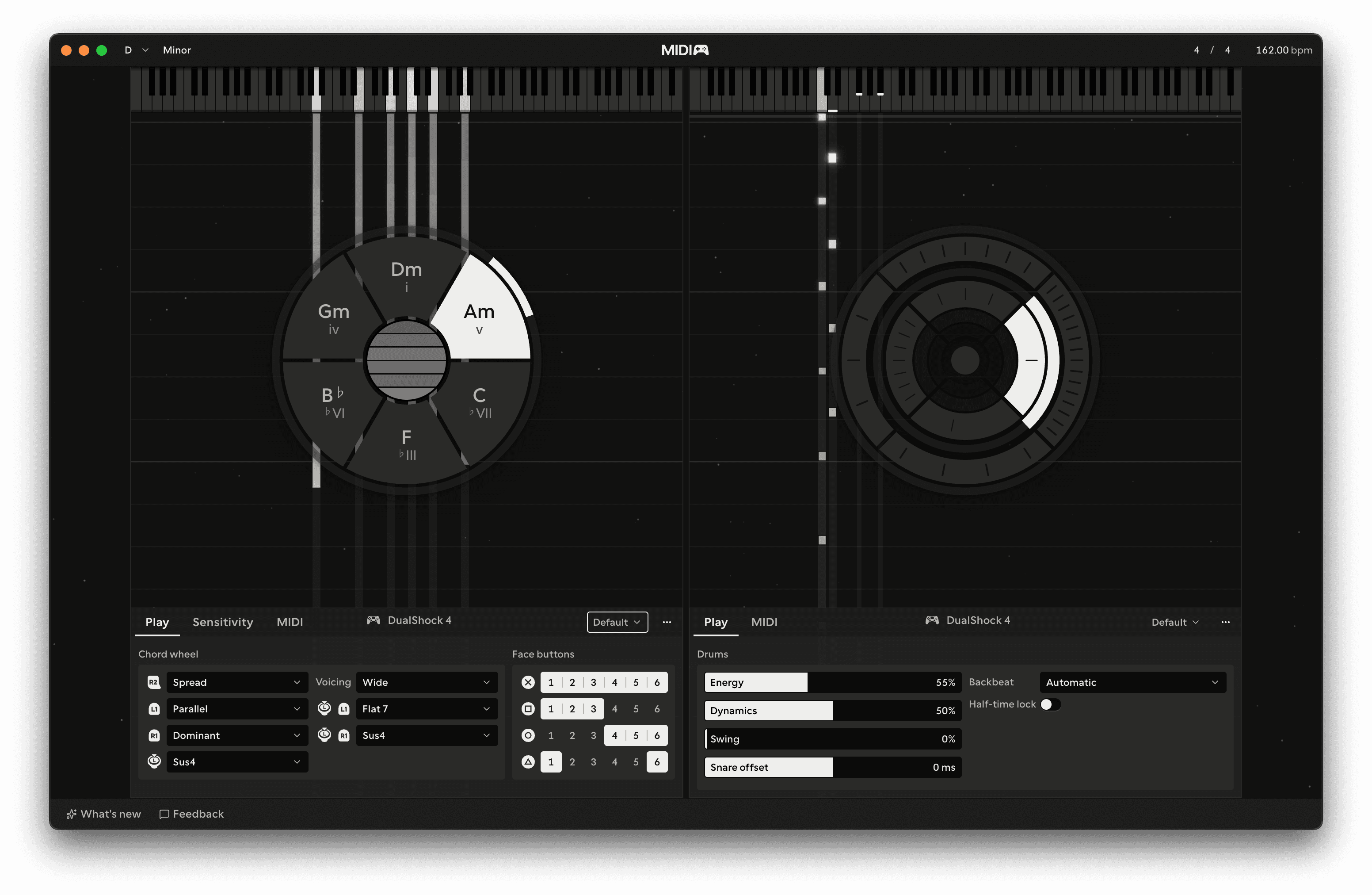
The first controller connected is Player 1 and the second is Player 2. If only one of them has a touchpad, it goes to Player 1, because Chords is played on the touchpad.
What changes
- The stage splits in two, with Chords on one side and Drums on the other.
- Each instrument panel shows which controller is playing it.
- Options doesn't switch instrument, and the Chords and Drums items are hidden from the Instrument menu.
Both instruments keep their own settings and presets, and follow the same key, tempo and time signature.
Multiplayer is off each time you open MIDIpad. Turn it off from the same menu item to go back to one player.