MIDI and MPE
It might not make sound, but it talks a lot.
Chords sends everything it plays on the MIDIpad Chords port, open from the moment the app runs.
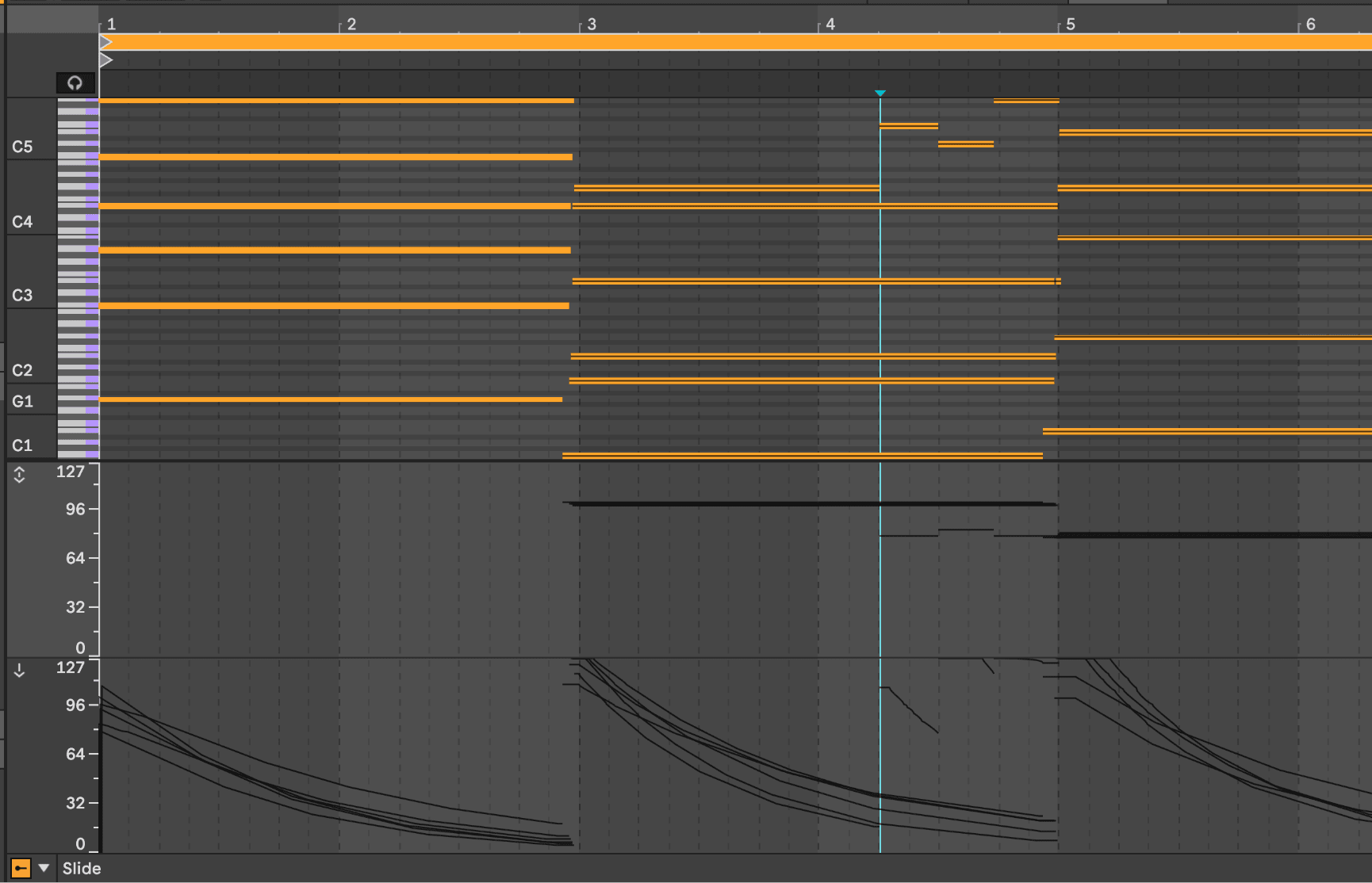
Energy and timbre
- Energy, how much each string has right now, goes out as channel pressure. It goes up when you play or shake, stays level while a finger is on the touchpad, and goes down as the string drains.
- Timbre goes out as CC74, which most MPE synths use for timbre. It starts at 64 and goes up from there. Where you strike and where your finger moves sets it.
Both are sent just before each note, so each note starts with the right level and timbre.
MIDI outputs
Chords channels, on the MIDI tab of the Chords panel and in the Instrument menu, picks which type of MIDI output MIDIpad Chords sends. MPE is the default.
| Mode | Channels | Energy | Timbre |
|---|---|---|---|
| MPE | Master on 1, one string per channel on 2-7 | Channel pressure, per string | CC74, per string |
| Multi-channel | One channel per string | Channel pressure, per channel | CC74, per channel |
| Poly aftertouch | Everything on channel 1 | Poly key pressure, per note | One CC74 |
| Single channel | Everything on channel 1 | One channel pressure | One CC74 |
MPE
MPE sends each string on its own channel alongside a master channel. The MPE configuration message and full message details are in the MIDI reference.
Multi-channel
Multi-channel sends one string per channel on channels 1 to 6, with no master channel and no MPE announcement. Use it for one synth per string, with six tracks each filtered to one channel, or for gear that reads channels but has no MPE support.
Leave the port's MPE switch off in your DAW for Multi-channel, or the DAW may treat channel 1 as a master channel and lose the low string.
Six String channels boxes appear under the setting when Multi-channel is picked, one per string from the low string up. Each string can go out on any channel from 1 to 16. Strings on the same channel are combined, like in Single channel mode: pressure follows the loudest string and CC74 follows the brightest. Put the low three strings on channel 1 and the high three on channel 2 to get a bass track and a chord track from one chord.
Poly aftertouch
Poly aftertouch sends each string's energy as polyphonic key pressure on its note. A synth that reads poly aftertouch gets each string's energy without MPE. Timbre becomes one CC74 for the whole instrument, following the brightest string.
Single channel
Single channel sends what a plain MIDI keyboard sends. One channel pressure follows the loudest string and one CC74 follows the brightest. Pick it when in doubt, or Poly aftertouch when the synth supports it.
Tilt and keyswitches
Tilt and keyswitches go out on channel 1. Under Multi-channel, which has no master channel, they're sent on every channel a string is using, so every track receives them.